

GS-PTT Tracker · Icom IC-SAT100
Track your PTT radios. Transfer the call. One fleet view.
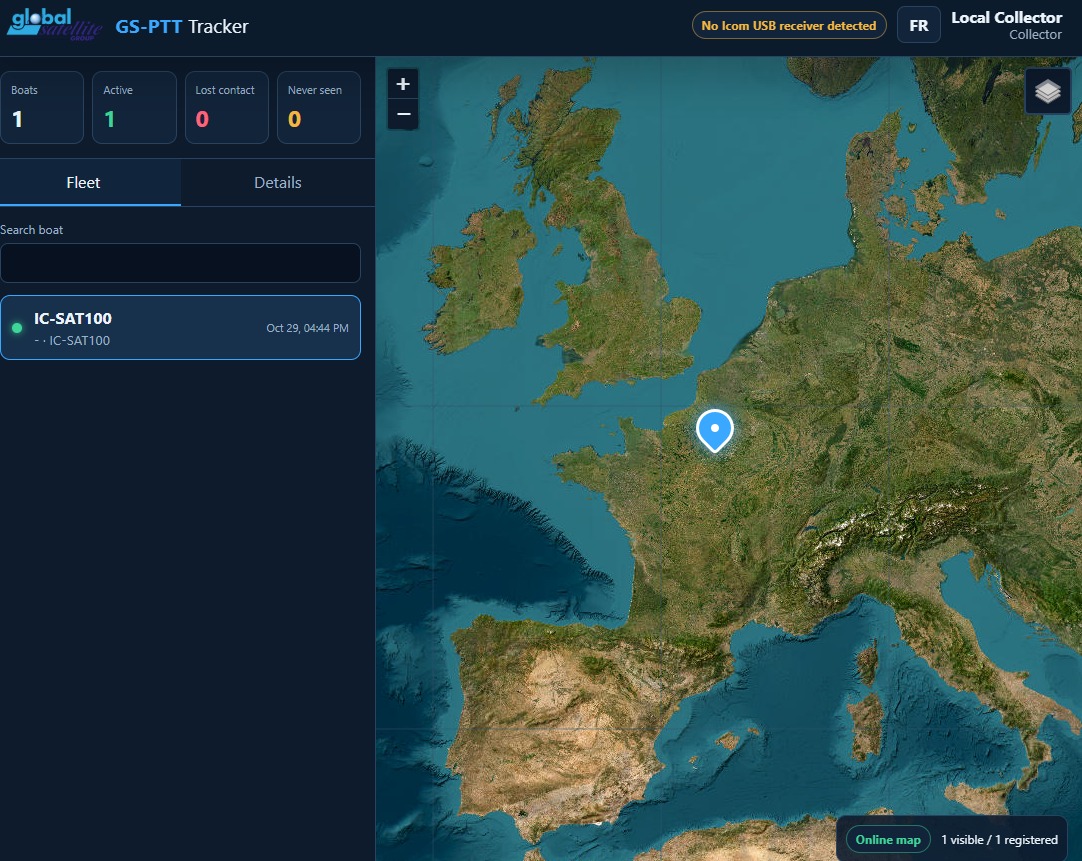
GS-PTT Tracker shows where each push-to-talk radio last reported on one map, so your operators can find the right unit and transfer the call to the team in charge.
Features
Everything your dispatch team needs in one screen
01Track every PTT radio
See the last reported position of each IC-SAT100 on a satellite or street map, with last-contact time, coordinates, speed and heading when available.
02Transfer the call
Locate the radio, then transfer the call to the operator or regional team responsible for that area.
03Route history
Review recorded routes over the last 24 hours or 7 days.
04Lost-contact indicators
Spot radios with no new position within a configurable interval (3 hours by default).
05Roles and zones
Administrators, headquarters and regional operators each see the fleet scope assigned to them.
06Excel reports
Export monthly position reports for your authorized scope, in English or French.
How it works
From the radio to your dashboard in three steps
1. Receive
Your IC-SAT100M station receives the position message sent by the IC-SAT100 radio.
2. Collect and sync
The Windows collector records the position and sends it to the central server. If the Internet drops, positions are queued and sent later.
3. Track and transfer
Operators open the web dashboard, find the radio and transfer the call to the right team.
The map updates when a position message is actually transmitted, received and synchronized. Reporting frequency depends on your radio configuration.
Requirements
What your deployment needs
We review your radios, stations and zones, then propose the right package: software, installation, hosting and support as agreed in your quote.
- Icom radios IC-SAT100 units and an IC-SAT100M receiving station configured for position reports
- Station PC A Windows computer with the radio drivers and data connection
- Central dashboard Hosting and Internet access for your users
- Need radios? See our Icom satellite radios
FAQ
Questions before your demonstration
Is GS-PTT Tracker continuous GPS tracking?
No. The map shows the last position received and synchronized. How often positions arrive depends on your radio configuration and the messages your equipment transmits.
What happens if the station loses Internet?
The collector keeps recording received positions on the station PC and sends them when the connection returns.
Can regional teams see only their own radios?
Yes. Regional accounts are linked to a zone. Headquarters sees the whole fleet and administrators manage radios and users.
Are radios, airtime and hosting included?
They depend on your package. Your quote lists the software, equipment, airtime, hosting and support included.
How do I get a demonstration?
Contact us at +1 954 459 3002 or through the contact page and we will prepare a demo for your fleet.
Bring your PTT fleet into view
Tell us about your radios, stations and operating zones. We will prepare a demonstration for your team.